Introduction: Catching the Coding Bug
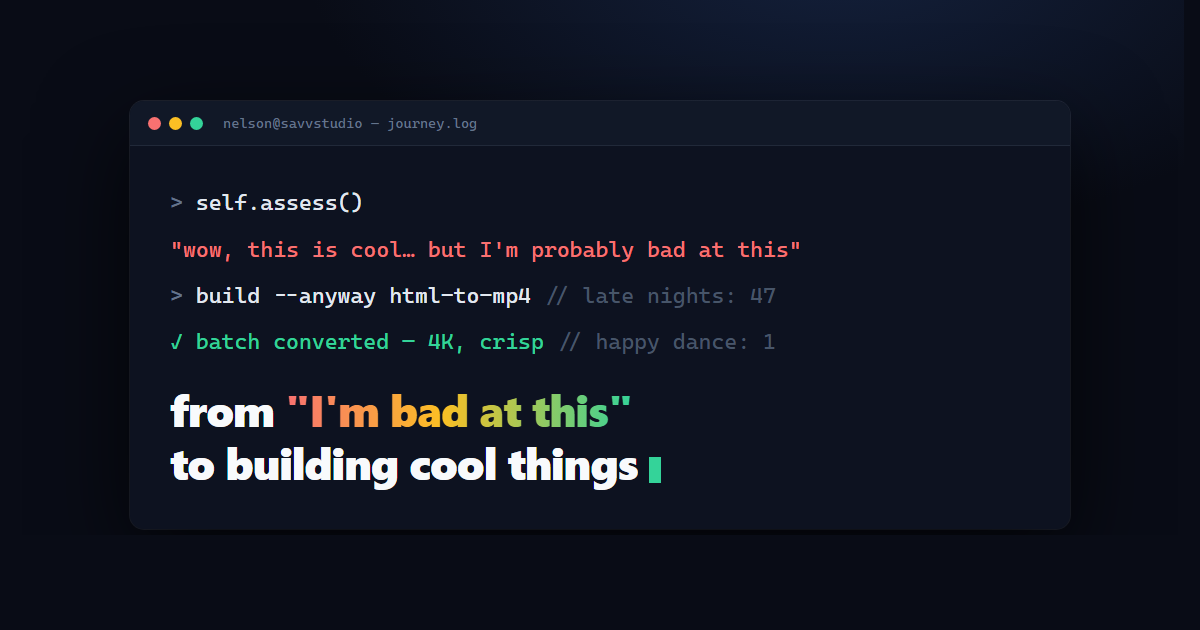
I remember the first time I tinkered with code and AI — I felt like I had no idea what I was doing. In fact, my initial reaction to programming was, “Wow, this is cool… but I’m probably bad at this.” Despite that self-doubt, something about the mix of code and creative possibility hooked me. I’m not a formally trained developer, but I am a tech enthusiast with a big imagination. Over time, that curiosity pushed me to start building things: little scripts, visual experiments, AI-generated assets, and eventually full-blown tools. This is the story of how I went from feeling out of my depth to actually creating projects I’m proud of, all by learning as I build.
Diving into Code and AI
My journey began with a simple fascination: I loved seeing what people were doing with artificial intelligence and web development. Interactive web animations, AI image generators, automated workflows — it all felt like magic. Being more of a creative than a coder initially, I wasn’t sure I could make that magic myself. But I had ideas, and the only way to bring them to life was to dive in and start coding.
I started small. In the evenings after my 9–5 remote job (and sometimes between tasks, I admit), I’d play around with tutorials and open-source code. I learned to build basic websites and toyed with AI APIs. Every new concept was both intimidating and exhilarating. JavaScript and Python scripts became my playground. I quickly found that the key was to break big problems into smaller pieces and tackle them one at a time. If I didn’t know how to do something, I’d Google it, find a library, or ask a question on a forum. Bit by bit, I was learning by doing.
My First Big Project: An HTML-to-Video Converter
The real turning point in my coding journey came with an ambitious project I decided to take on: an HTML-to-MP4 video converter. The idea sparked from a personal need — I create a lot of cool HTML5 animations and effects, and I wanted an easy way to turn them into videos. Why videos? Because videos are easy to share on platforms like YouTube, Instagram, or as part of a digital portfolio, whereas interactive HTML files aren’t as widely usable. I thought, wouldn’t it be neat if I could build a tool to batch convert any HTML animation into a 4K video? Neat, yes. Easy, no.
This project was my crash course in full-stack development and automation. I had to string together several technologies to make it work: a bit of front-end to select and preview files, a back-end to render the animations, and video processing to get the final output. At the time, I barely knew where to start. I ended up learning and using Node.js, Puppeteer, and FFmpeg — tools I’d never worked with before — to accomplish the task. Here’s how they came into play:
- Puppeteer (a Node.js library): This let me run a headless browser to load each HTML file and “play” the animation off-screen. Essentially, I could programmatically open an invisible browser page that runs the code and graphics, just as if it were on a real screen.
- FFmpeg (a video processing tool): Using this, I captured the frames from the headless browser and encoded them into a video file. FFmpeg is powerful (it’s used in many video applications), but it runs via command-line, so I had to learn how to feed it the right parameters for resolution, frame rate, etc.
- OBS Studio & WebSockets: For more complex animations (like those using WebGL or external scripts), I even integrated OBS Studio (a screen recording software) via its WebSocket API to record the animation in real time. This was something I never imagined doing when I started coding — controlling an external app with code! It felt like next-level automation.
The process was anything but smooth. I spent many late nights debugging why certain HTML files only showed a black screen in the output or why the timing of the video was off. There were moments I hit a wall and that little voice in my head whispered, “You’re in over your head. Maybe you really are bad at this.” But then I’d take a break, come back, and figure out the next tiny issue — one at a time. Maybe a path was wrong, maybe I needed to wait for the page to fully load before capturing, maybe I had to include a special browser flag for it to render properly. With each solved problem, my confidence grew.
After weeks of perseverance, the day I watched my tool successfully convert a batch of animated HTML files into crisp 4K MP4 videos, I literally did a happy dance in my chair. It worked! I had built something that I personally found incredibly useful, and possibly others would too. That rush of turning an idea into reality was addictive.
Learning by Building (A Toolbox of New Skills)
Working on the HTML-to-video converter ended up teaching me more than any course ever could, because I was learning with a purpose. By tackling that one project, I inadvertently picked up a whole arsenal of skills. To name a few:
- Next.js, React, and eventually Astro: To make a simple interface for my tool (so I could select files and configure settings), I ventured into web frameworks. I started with Next.js (a React framework) — it got me building fast and taught me how to manage application state and routing. Later I moved to Astro for my sites, keeping React for the interactive parts. Static-first just fits how I build: fast pages, less JavaScript, and the interactivity only where it earns its place.
- Automation Scripting: I got better at writing scripts in both JavaScript and Python to automate parts of my workflow. Whether it was automating the launch of OBS or scripting file management tasks, I learned how to make the computer do the boring stuff for me.
- Debugging and Problem-Solving: Perhaps the most important skill. I encountered countless bugs and unexpected behaviors. Initially, debugging felt like looking for a needle in a haystack, but I gradually developed a methodical approach: read error logs, add console prints, isolate the problem, and research. I realized this is what programming is: solving one issue after another, and that’s okay.
- Using APIs and Libraries: Instead of trying to reinvent the wheel, I learned to stand on the shoulders of giants. Need to generate video from images? There’s FFmpeg. Need a browser? Puppeteer’s there. Want to automate a third-party app? OBS has an API. I became proficient at reading documentation and integrating these tools. It’s like learning to use power tools in a workshop — at first intimidating, but once you know they exist, you can build much faster.
Each new technology I learned was like adding a new tool to my belt. And with each tool, my ability to bring ideas to life grew. Importantly, I also learned not to be afraid of learning itself. In the beginning, I hesitated to try things because I didn’t know them. Now I actively seek out what I don’t know, because that’s usually the way forward.
Snowballing into More Projects
What I didn’t expect was how one project would lead to another, and another. Once I got a taste of building a complete tool, my mind exploded with possibilities. I started working on a bunch of related projects — partly out of passion, and partly because they scratched my own itch in creative work. Here are a few things I ended up creating or working on after the HTML-to-video app:
- Metadata Generator (“MetaGen”) for Stock Content: I produce AI-generated images and videos to sell as stock content. Writing titles, descriptions, and keywords for hundreds of items was a nightmare. So I coded a small tool that uses a mix of templates and AI suggestions to auto-generate metadata in bulk. It outputs a CSV that I can upload to stock websites, saving me hours of drudgery.
- Savv Studio Portfolio Website: As my projects grew, I wanted a place to showcase them. I started building my own portfolio site. This became a project of its own: designing a sleek dark-themed website, creating interactive animations (like a logo that loops, a blinking-cursor effect in the hero section, etc.), and making it responsive and fast. Working on my site sharpened my web design skills and let me express my personality through code.
- Chrome Extension for Workflow Automation: I developed a Chrome extension to automate parts of my AI image generation workflow. I often generate images using web-based tools, and it was tedious to paste prompts and handle repetitive clicks. This extension can queue up prompts, auto-paste them, and even take screenshots of results automatically. Building a browser extension was a new challenge (web technologies in a different context!), but it was rewarding to see it streamline a task I did every day.
- Non-Profit Website Management: On a more personal note, I took on the task of managing and improving a website for a family-run non-profit (the Dr. Patience Tsavnande Foundation). This wasn’t an AI project per se, but it let me apply my web skills for a good cause — setting up pages, improving layouts, and documenting their charity work online. It felt great to use my abilities to help something meaningful in the real world, and it was another reminder of how far I’d come from the days I thought I “couldn’t code.”
Suddenly, I went from struggling with “Hello World” to juggling multiple projects in different domains. Each project taught me something new or reinforced what I already knew. Did I sometimes stretch myself thin? Absolutely. But I was having fun, and the momentum kept me going. I also learned the art of prioritization — figuring out which project to focus on first (hint: finish one thing, even if it’s not perfect, so you can actually use it or show it to others). That’s how I ensured the important stuff got done, like getting the core of the HTML-to-video converter working before getting fancy with other ideas.
Overcoming Impostor Syndrome
Even after successfully building a few things, I’ll confess: I still often feel like I’m “bad at this” or that I’m not a “real” programmer. This feeling is known as impostor syndrome, and it’s incredibly common in tech (really, talk to any developer and they’ll tell you they’ve been there). The difference now is that I don’t let it stop me. Here’s how my mindset evolved:
In the early days, whenever I hit a snag or didn’t understand something immediately, I took it as proof that I wasn’t good enough. Real developers know how to do this. Real developers don’t get stuck like me. But as I pushed through challenges, I discovered that getting stuck is actually a normal part of the process. In fact, it’s the process. Those “real” developers? They’re also Googling error messages and scratching their heads at bugs. The trick is to stay persistent and keep learning.
One anecdote I like to share: I was integrating that OBS recording into my HTML-to-video tool, and for a whole weekend nothing worked. The recordings were blank no matter what I tried. I was so frustrated I nearly gave up on that feature. I thought, “Maybe I should just stick to simpler things.” But on Sunday night, I stumbled on a hint in an online discussion forum — it turned out I needed to add a small delay before capturing to let the animation start. I added a few seconds wait and boom — it recorded perfectly. I almost couldn’t believe it was that simple. It made me wonder, how many times have people quit right before finding a simple solution? That was a lesson for me to be a bit more patient with myself.
Over time, I’ve learned to embrace being a perpetual learner. Instead of feeling bad that I don’t know something, I get excited by how much I could know next. When impostor syndrome creeps in now, I remind myself: Look at the things you’ve built. They exist because you tried, not because you were an expert from day one. Every expert was once a beginner. It’s okay to be in progress.
Key Takeaways from My Journey
If you’re reading this and you’ve ever felt like you’re “bad” at coding or tech, here are some lessons I’ve learned (and am still learning) that might resonate:
- You Don’t Need to Know Everything to Start: I began projects with only a vague idea of how I’d do it. The detailed knowledge came during the project. Planning is good, but don’t overthink to the point of paralysis. Jump in and figure things out as you go.
- Break Things Down: Big projects can be scary. Divide them into smaller tasks or milestones. Each small win builds momentum. Celebrate those wins – fixing a bug or rendering one video successfully – they keep you motivated for the next challenge.
- Leverage Existing Tools and Communities: There’s a library or API for almost everything these days. Don’t be afraid to use them. And when stuck, search online – chances are someone else had the same problem. I owe a lot of my progress to community forums, documentation, and the open-source projects that paved the way.
- Mistakes = Learning: I’ve probably written code that’s broken, inefficient, or just plain wrong more times than I can count. And I’ll do it again. That’s not failure; that’s learning. Each bug encountered taught me something new. Now when something doesn’t work, I see it as an inevitable step towards making it work.
- Stay Curious and Keep Experimenting: What started as one project branched into many because I followed my curiosity. Allow yourself to try new things, even if they don’t become huge successes. Every experiment (a small web app, a design tweak, a new programming language) adds to your skill set. Plus, it keeps the journey fun and engaging.
Conclusion: The Journey Continues
I started out feeling like an impostor in the world of code and AI. Fast forward to now — I’ve built automation tools, a personal brand site, content generators, and more. Do I consider myself a master developer? Not at all, and maybe I never will. But I’ve realized you don’t have to be “great” to create great things. You just have to start, and be willing to improve step by step.
These days, when I catch myself saying “I’m bad at this,” I smile, because I know that’s exactly how I felt right before I achieved something new. In a way, being “bad” is just the first stage of getting good. I’m excited for all the things I still have to learn and build. Code and AI are such fast-moving fields that I’ll forever be a student — and I’m okay with that. Actually, I love that.
If you’re on a similar path (be it coding, AI, or any new skill), my advice is: embrace the uncertainty and keep building. Your project might start as a rough idea or a personal hack, and it might even stay that way, but along the journey you’ll surprise yourself. I certainly did. What matters is that you follow that spark of interest. Who knows, you might look back one day at something working — something you built — and realize that the journey from “I have no clue” to “I made this” is pretty incredible. And you’ll be really glad you gave it a shot.
Thanks for reading about my journey. I’m continuing to learn and create under Savv Studio, which has become my little umbrella for all these projects. Feel free to reach out if any of this resonated with you or if you’re working on something cool — I love swapping stories and tips with fellow learners.